Built for the UK term model

Swim Class Management Built Around the UK Term Model

Set up a new term in minutes, not days. ClassBase is termly swim class management software purpose-built for British swim schools — with copy-forward scheduling, automatic session generation, closure days and batch re-enrolment.

9,999 student trial limit · UK-built · GDPR compliant · Cancel any time

Why generic class software doesn't fit UK swim schools

US platforms like Jackrabbit and iClassPro are built around continuous rolling enrolment. British swim schools run on terms — Autumn, Spring, Summer. ClassBase is the only platform where the UK term model is native, not bolted on.

US-centric platforms

Rolling enrolment, USD pricing, no concept of terms. You fight the software every time a new term starts.

Rebuilding every term

Without copy-forward, you recreate every class manually. Hours of work, three times a year.

No closure day support

Bank holidays, half terms and pool maintenance — you cancel sessions one at a time.

Copy your entire timetable forward in one click

ClassBase's copy-forward feature duplicates your full term timetable — every class, instructor, time slot and venue — into the next term. Adjust dates, tweak as needed, and you're done. What took hours now takes minutes.

  • One-click term duplication — classes, instructors, venues preserved
  • Automatic session generation across the full term
  • Closure days skip sessions automatically — no manual editing
  • Bulk re-enrol returning students, generate invoices in batch
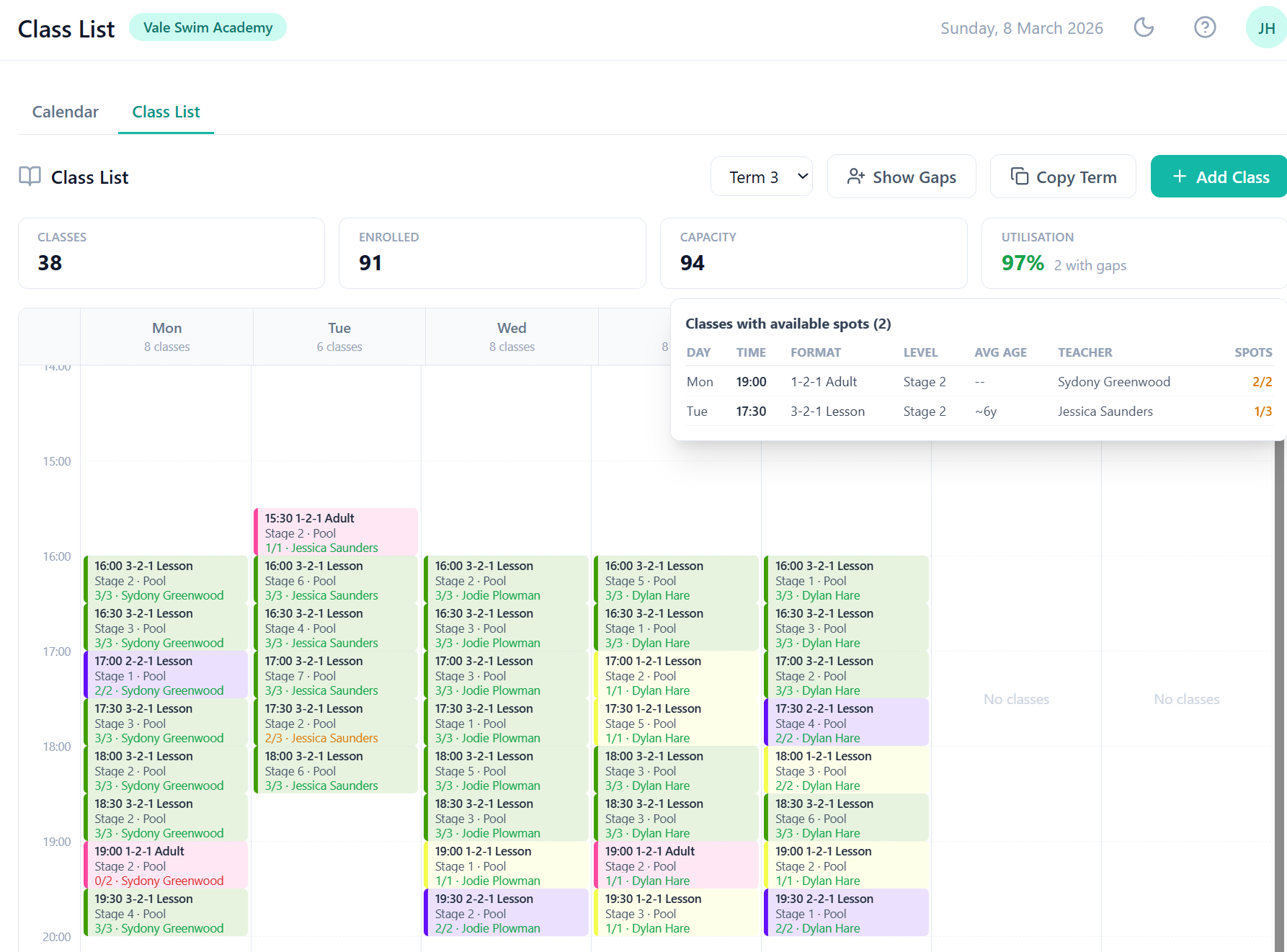
ClassBase weekly class schedule showing term-based swim class timetable

The full term lifecycle — from setup to invoicing

Create terms

Set start/end dates for Autumn, Spring and Summer. Add half-term breaks and bank holidays as closure days.

Build or copy classes

Create classes from scratch or copy-forward your entire previous term. Format, level, instructor, day, time and capacity.

Generate sessions

One click creates every session for every class across the term. Closure days are automatically skipped.

Enrol students

Bulk re-enrol returning students or add new ones. Waiting list families get automatic offers when places open.

Batch invoicing

Generate invoices for all enrolments in one operation. Collect via GoCardless Direct Debit or manual payment.

Teach and track

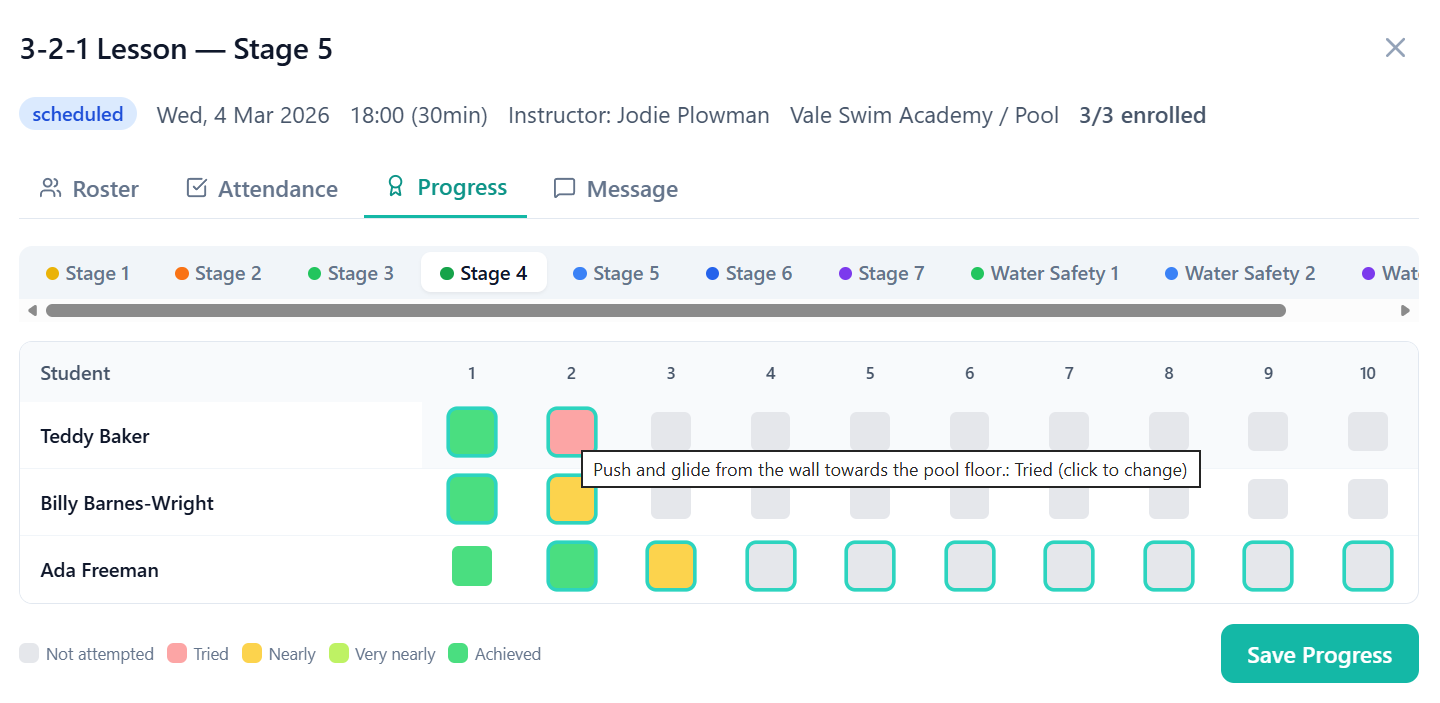
Mark attendance poolside. Record Swim England skill progression. Parents get updates through the portal.

Bank holidays and closures handled automatically

Add bank holidays, half-term breaks and pool maintenance days once. ClassBase skips those dates when generating sessions — no need to cancel individual sessions manually. Works across all classes and venues.

1

Add closure days in bulk

Bank holidays, half terms, maintenance — add them all at once

2

Sessions auto-skip

No sessions generated on closure days — automatic, across all classes

3

Cancel and notify

Need to cancel mid-term? Cancel a session and parents are notified via email or SMS

ClassBase swim school management showing student progress tracking alongside term scheduling

Frequently asked questions

What swim school software is built for UK terms?

ClassBase is built around the UK Autumn/Spring/Summer term model. You create terms with start and end dates, generate all sessions automatically, and copy your entire timetable forward to the next term with one click. US platforms like Jackrabbit use continuous rolling enrolment — ClassBase is designed for how British swim schools actually work.

How does copy-forward term work?

Copy-forward duplicates your entire term timetable — all classes, instructors, time slots and venues — into the next term. You then adjust dates, add or remove classes, and re-enrol students. What used to take days of manual setup takes minutes.

Can I bulk import bank holidays as closure days?

Yes. Add bank holidays and pool closures as closure days. ClassBase automatically skips those dates when generating sessions — no manual editing of individual sessions required. You can also add one-off closures for maintenance or events.

Does ClassBase support sub or cover instructors?

Yes. Each class has a primary instructor, but you can assign a different instructor to individual sessions when cover is needed. The substitute teacher sees the session on their dashboard and gets the attendance register.

How do I generate invoices for a new term?

Once students are enrolled for the new term, ClassBase generates invoices in batch — one click creates invoices for all enrolments in the term. Fees are calculated from the class price and number of sessions. Invoices can then be collected via GoCardless Direct Debit or marked as paid manually.

Ready to set up your next term?

Start your free trial and build your first term in ClassBase. Copy-forward, session generation, closure days — all included.

Start Free Trial